Paste in your Xero, QuickBooks or FreeAgent debtors and creditors, add your regular costs, and the tight weeks show up in red before they happen. A clean one-page summary is ready for your bank.
One-off payment, instant download. Excel .xlsx that also works in Google Sheets and LibreOffice. No macros.
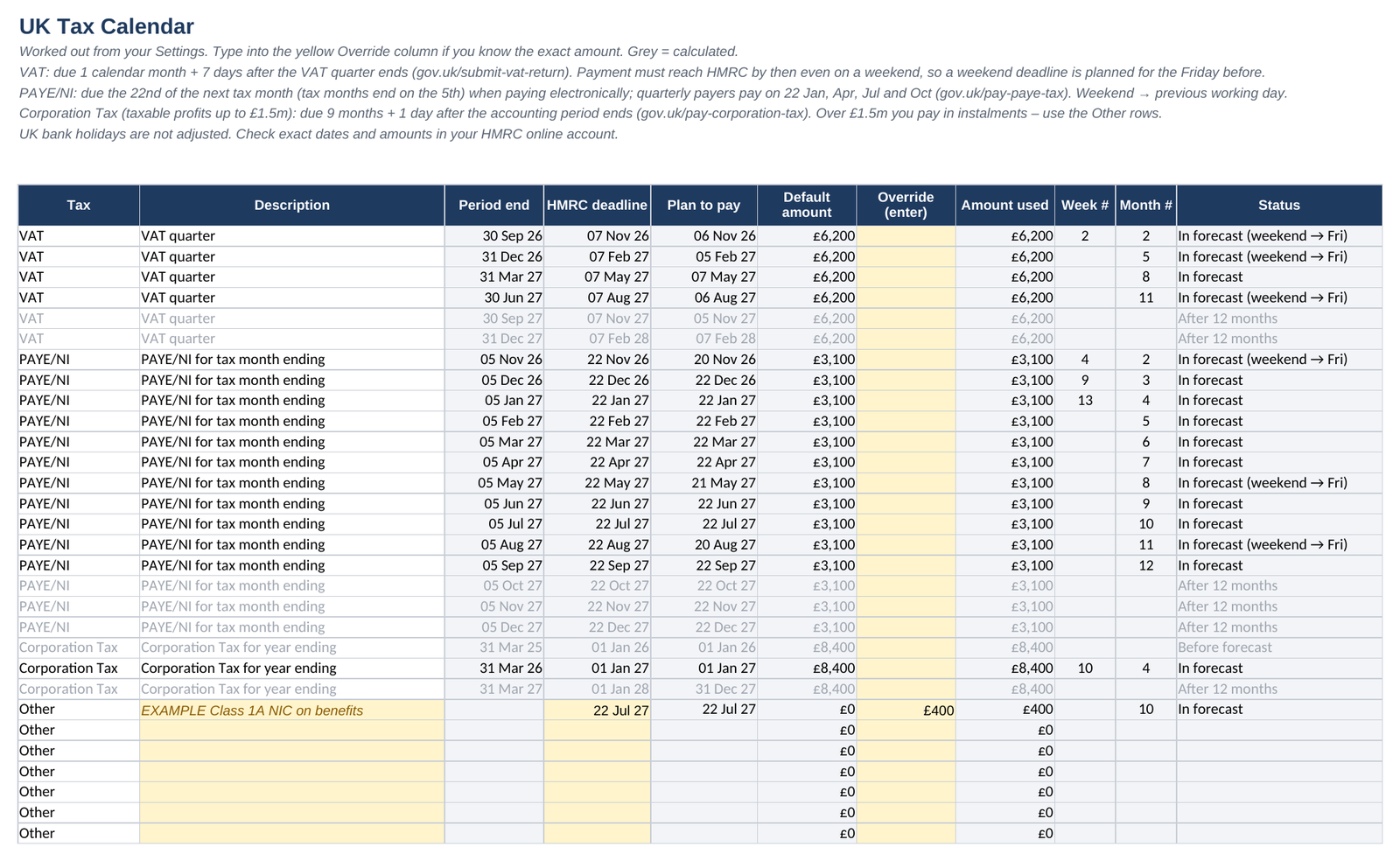
Enter your VAT quarter, year end and payroll figure once. The template lists each payment, plans weekend deadlines for the Friday before, and drops them into the right week and month.
| Tax | When it's due (gov.uk rule) |
|---|---|
| VAT | 1 calendar month + 7 days after the end of each VAT quarter (gov.uk/submit-vat-return) |
| PAYE / NI | 22nd of the next tax month if you pay electronically, or the 22nd after the quarter if you pay quarterly (gov.uk/pay-paye-tax) |
| Corporation Tax | 9 months + 1 day after the end of your accounting period, for taxable profits up to £1.5m (gov.uk/pay-corporation-tax) |
Not covered automatically: Corporation Tax instalments (profits over £1.5m), VAT annual accounting, monthly VAT returns, VAT payments on account, and UK bank holidays. There are "Other" rows where you can add these yourself.
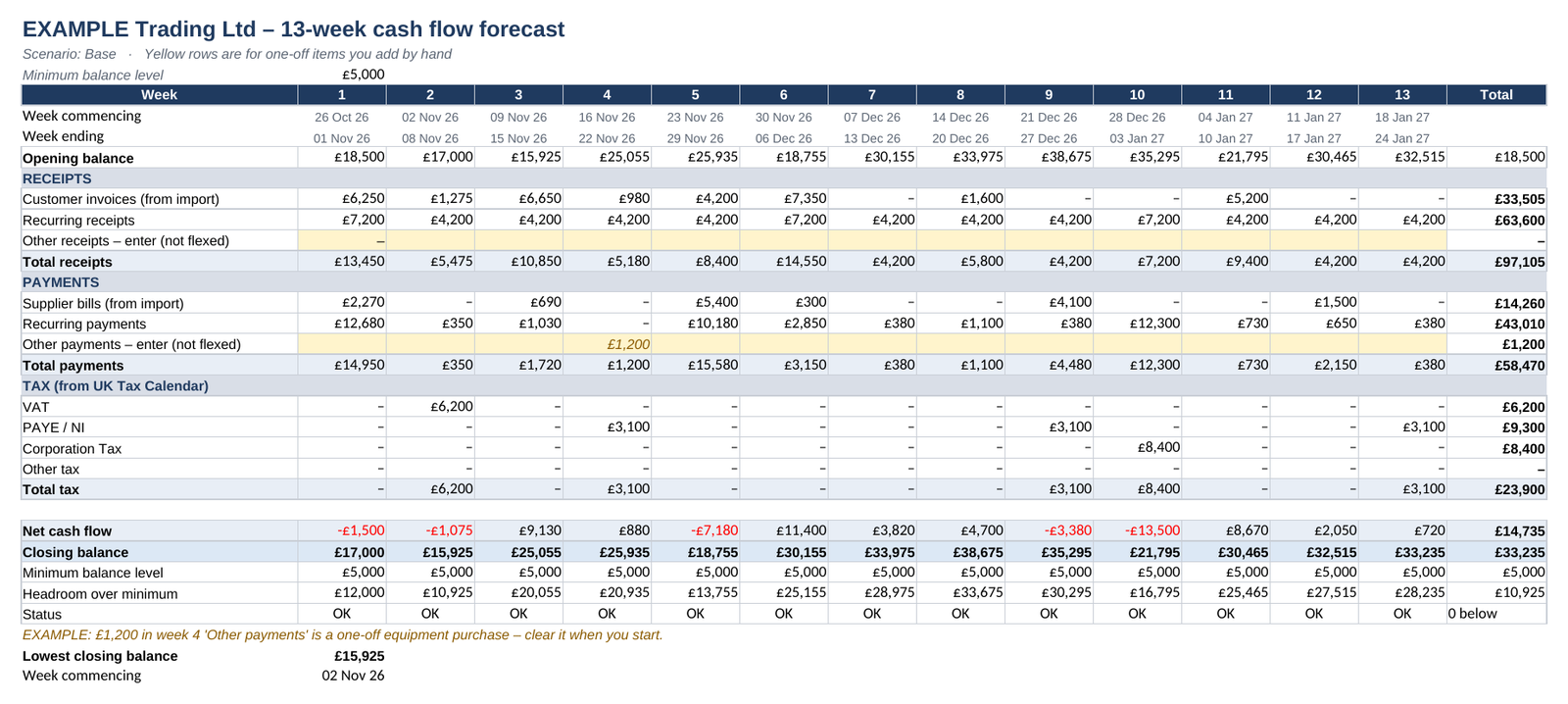
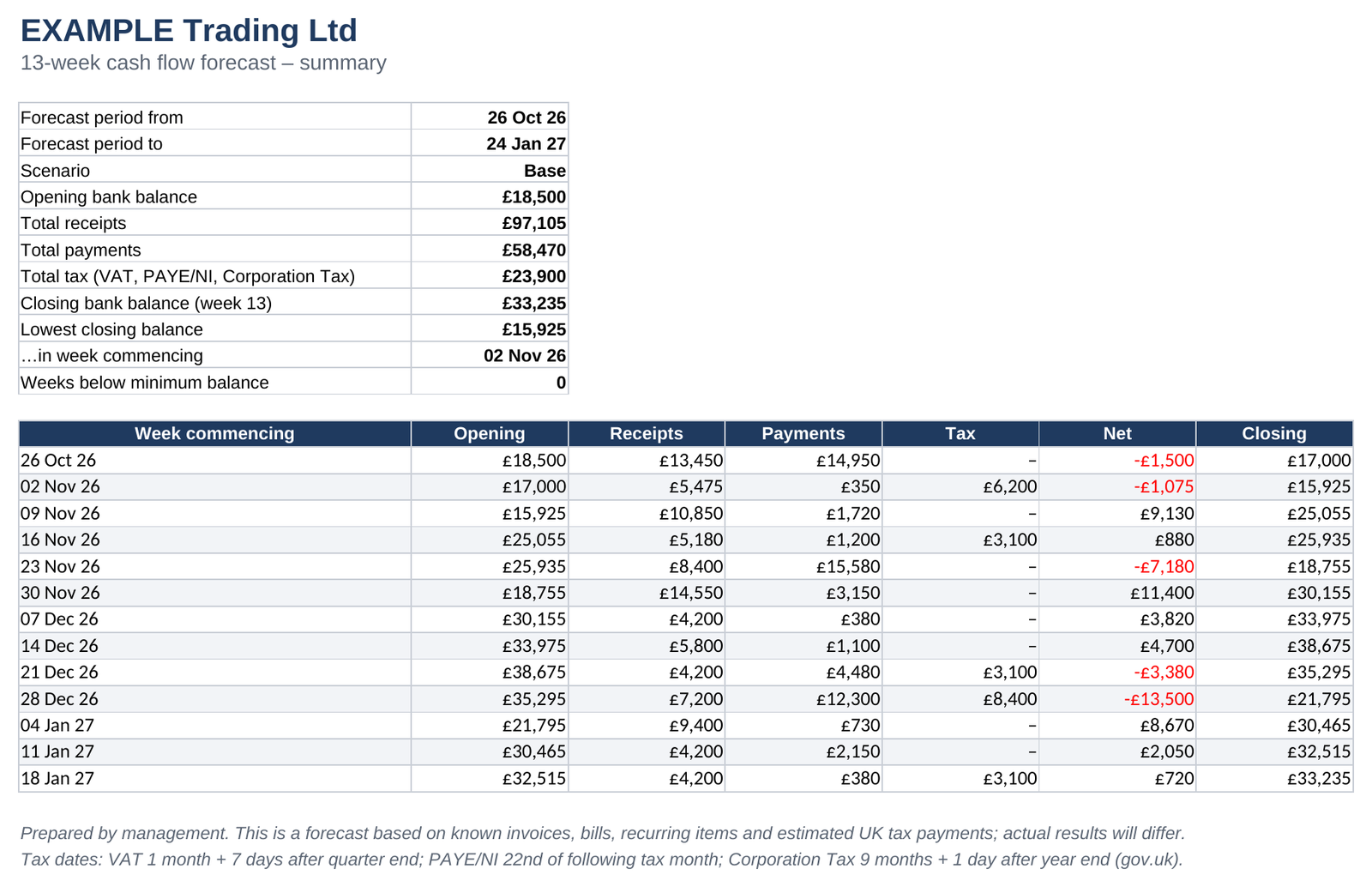
Opening balance, receipts, payments, tax and closing balance for every week. Any week below your minimum balance is flagged in red.
The same view month by month, for budgeting and planning further ahead.
Copy four columns from your aged debtors and aged creditors (contact, invoice no, due date, amount). Each invoice lands in the week it's due.
Rent, salaries, subscriptions and loans. Weekly, fortnightly, monthly, quarterly, annual or one-off, with optional end dates.
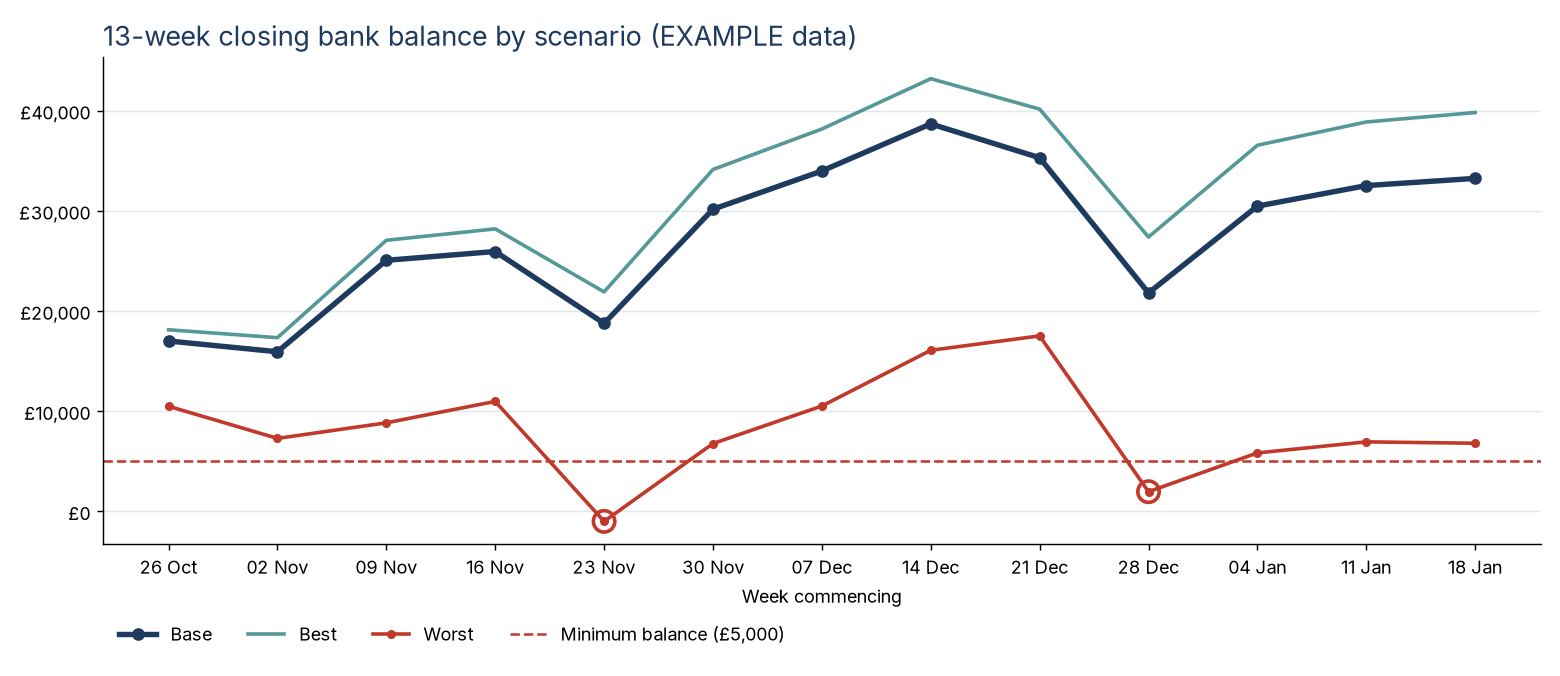
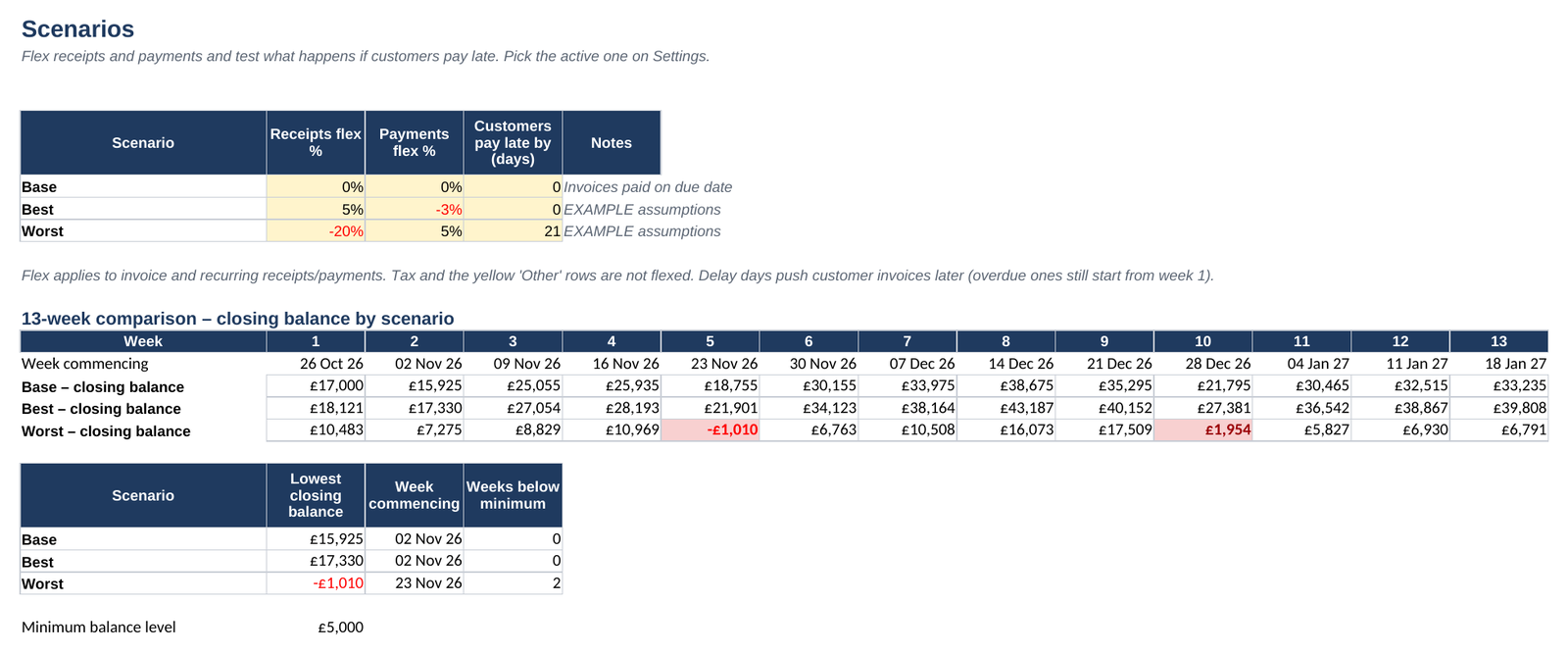
Base, Best and Worst cases. Flex receipts and payments by a percentage and test what happens if customers pay X days late.
A printable one-page summary for your bank or lender, plus closing-balance charts.
All screenshots show the template's built-in EXAMPLE data.


Secure checkout by Lemon Squeezy, which handles VAT and receipts.
Yes. Upload the .xlsx to Google Drive and choose File > Save as Google Sheets. The formulas only use functions that Excel and Google Sheets both support. Excel's sheet protection doesn't carry over, so take care not to type over the formula cells.
No. You export your aged debtors and aged creditors reports and paste four columns in, which takes a couple of minutes. There's nothing to install and no account access to grant.
No macros or scripts at all. Formula cells are locked without a password, so you can unprotect any sheet and change anything you like.
No. It's a planning tool based on the gov.uk payment rules shown above. Check your exact deadlines and amounts in your HMRC online account.
The Business Partners help small businesses with cash flow, forecasting and lender packs. We can set up the forecast with you.
Email arvindverma@mail.grokbot.com · Call 07737 987260